NINJATRADER 8 ADD-ON / WINDOWS
One workspace.
Every account.
Your control.
Bring your master and follower accounts into one focused workflow. Configure the copy. See the orders. Stay in control.
Plans coming soon · Account registration open
01 — Configure02 — Connect03 — Monitor
YOUR WORKFLOW, CONNECTED INTERFACE CONCEPT

Illustrative workflow only. Not live accounts or trading results.
BUILT AROUND YOUR WORKFLOWCopy groupsWorking ordersTimed entriesCloud controls
INSIDE RIFLESSOX
See the detail.
Keep the overview.
Account organization, order visibility and remote controls—without turning your workflow into a collection of disconnected screens.
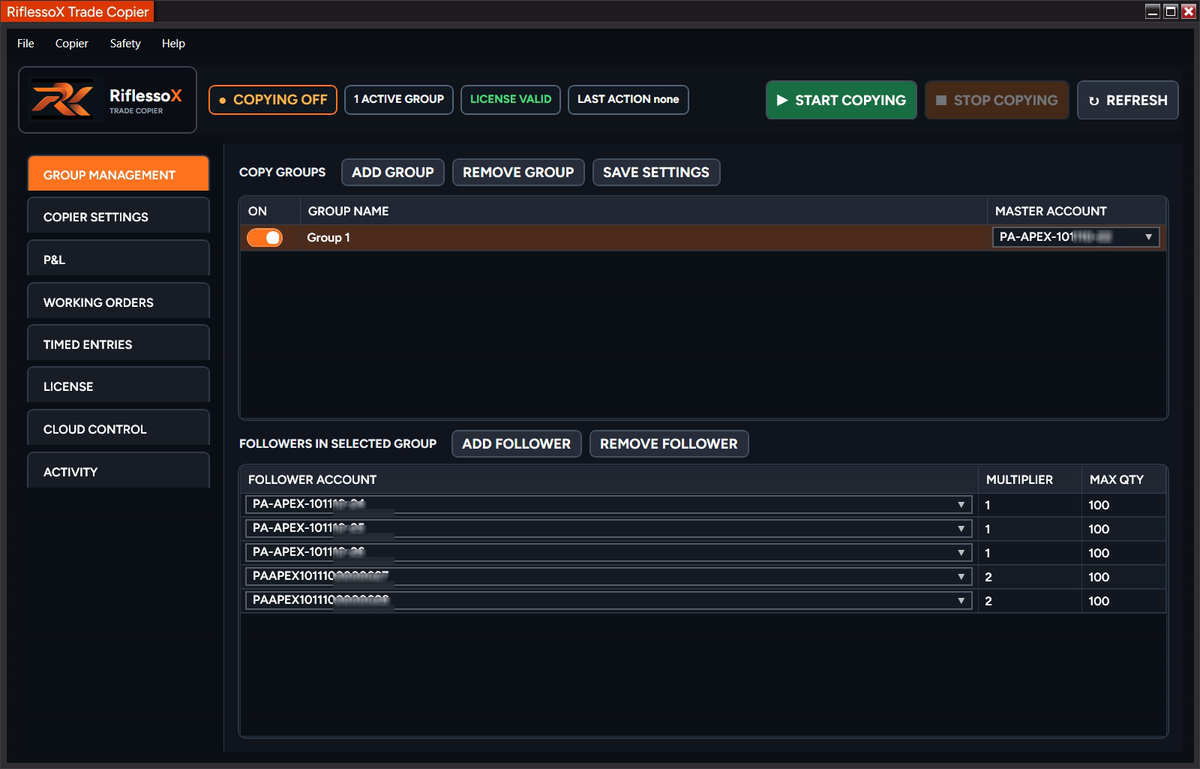
Define your groups.
Select a master, configure followers and set quantity controls around your own workflow.
Keep orders in view.
Review working orders and account positions. Copying can produce different fills across accounts.
Choose your reach.
Move from local copying to timed entries and remote monitoring with the package you select.
YOUR TOOLS. YOUR LEVEL OF CONTROL.
Less guesswork.
More clarity.
Compare Core Copier, Advanced Copier and Cloud Connectivity. Create and verify your account, choose a subscription, then add your Machine ID.
Core CopierComing soon
Advanced CopierComing soon
Cloud ConnectivityComing soon
Plans are not yet available to purchase. Account registration is open.
Every feature.
Side by side.
✓ Included— Not included∞ Unlimited
Account registration is open.
Create account Create and verify your account. When subscriptions open, choose your plan, complete Stripe Checkout, then add your Machine ID. Registration alone does not activate a subscription.
Compare all three plans Scroll the table on smaller screens →
| BUILT AROUND YOUR WORKFLOWFeature | Core CopierCore Copier Coming soon | Advanced CopierAdvanced Copier Coming soon | Cloud ConnectivityCloud Connectivity Coming soon |
|---|---|---|---|
| Configured groups | 2 | Unlimited | Unlimited |
| Accounts per group | Unlimited | Unlimited | Unlimited |
| Standard trade copying | Included | Included | Included |
| Follower multipliers & maximum quantity | Included | Included | Included |
| Copy order changes & cancellations | Included | Included | Included |
| Account P&L & working-order monitoring | Included | Included | Included |
| Group colors & master crown | Included | Included | Included |
| Manual flatten controls | Included | Included | Included |
| P&L cards for configured groups | Included | Included | Included |
| Copy/save P&L card as PNG | Included | Included | Included |
| Shared card controls & account-count privacy | Included | Included | Included |
| P&L cards from selected available accounts | Not included | Included | Included |
| Saved account-selection presets | Not included | Included | Included |
| Cross-contract: NQ/MNQ, ES/MES, GC/MGC | Not included | Included | Included |
| Timed Entries: Method 1 & Method 2 | Not included | Included | Included |
| Daily profit & loss limits | Not included | Included | Included |
| Master limit flattens & locks followers | Not included | Included | Included |
| Advanced Anti-Hedge | Not included | Included | Included |
| Cloud Control / remote commands | Not included | Not included | Included |
| Automatic updates | Included | Included | Included |
NinjaTrader 8 on WindowsCompatible desktop setup requiredCloud needs your desktop running
FROM DOWNLOAD TO WORKSPACE
Get set up.
Then test in simulation.
Follow the setup guides before connecting accounts. Check your broker or prop firm's rules and permissions.
01
Install NinjaTrader 8 ↗
Start with the desktop platform.
02Enable multi-provider ↗
Prepare your connection settings.
03Set up RiflessoX ↗
Install and configure the add-on.
Need the platform?
Explore NinjaTrader through our referral link.
BEFORE YOU START
A little clarity.
Can I create an account now?
Create and verify your account now. When subscriptions open, choose a plan in the member portal and add your Machine ID after checkout. Registration alone does not activate a subscription.
Does the software run my trading strategy?
RiflessoX provides user-directed trade-copying and execution-management tools. It is not investment advice or managed trading. You remain responsible for configuration and account activity.
Does Cloud Connectivity replace my desktop?
No. The desktop copier and supported connections need to remain running. Remote status may be delayed; connectivity and broker availability affect operation.
Can I connect any funded account?
Eligibility depends on the platform connection and your broker or prop firm's policies. Verify permission directly with your provider before use.
BEYOND THE WORKSPACE.
Trade your way.
Stay connected.
Follow the product. Explore the tools. Be part of the RiflessoX community.
DISCORD / THE COMMUNITY
Good tools.
Better conversations.
A place to connect with other RiflessoX users and follow product conversations.
Join our DiscordCONNECT · EXPLORE · SHARE
YOUTUBE / A CLOSER LOOK
See it.
Then set it up.
Step inside the workspace with setup guides and product walkthroughs.
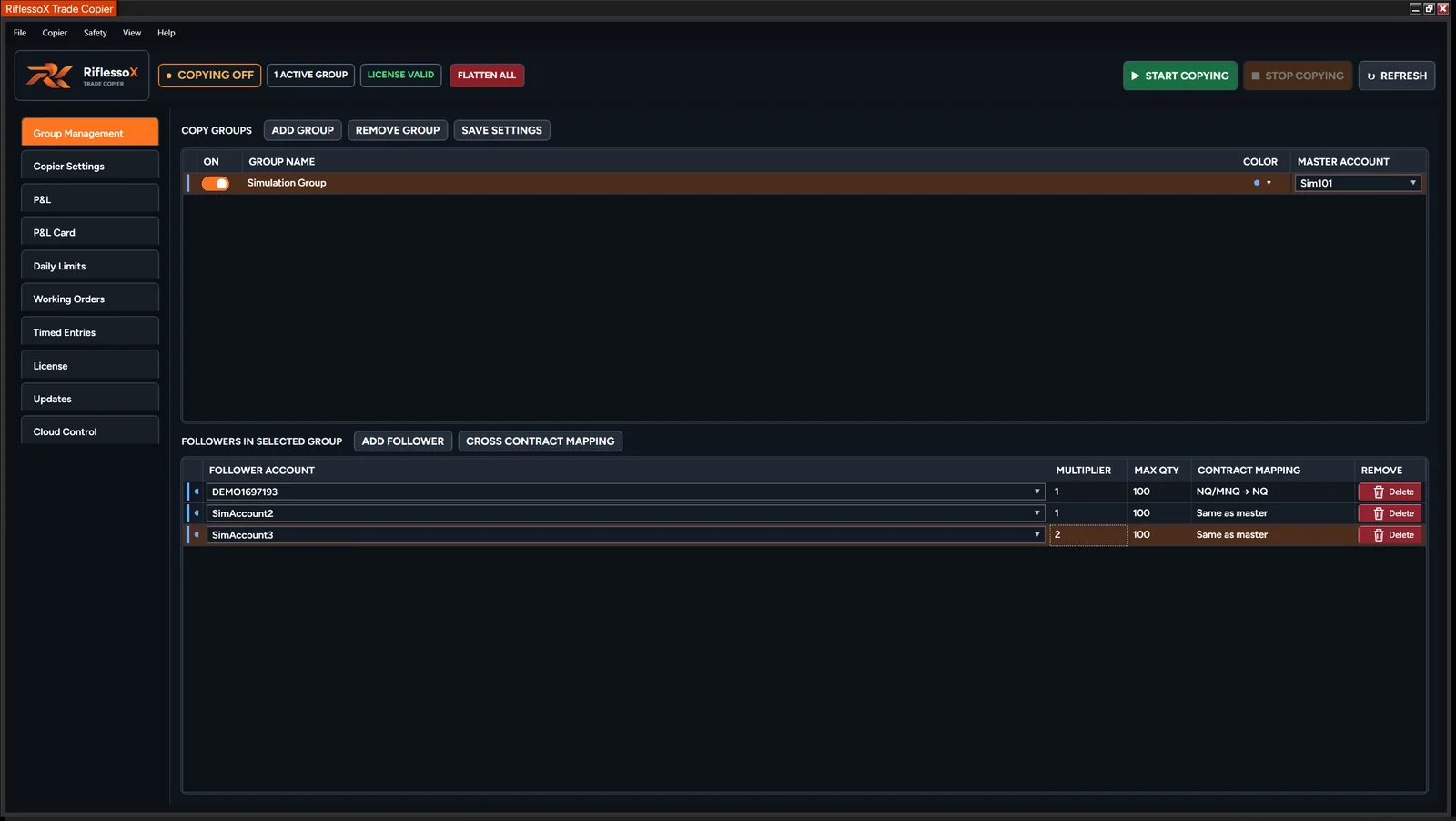 Watch Set up RiflessoX on YouTubeExplore our YouTube
 A visual look at RiflessoX, product highlights and what’s next.
Short-form looks at the tools behind your trading workspace.
Product content and community discussions are educational, not trading advice. Interface examples do not represent expected performance.